The Ultimate Guide to Circle Frame Digital Assets: Formats, Uses, and Workflow Integration
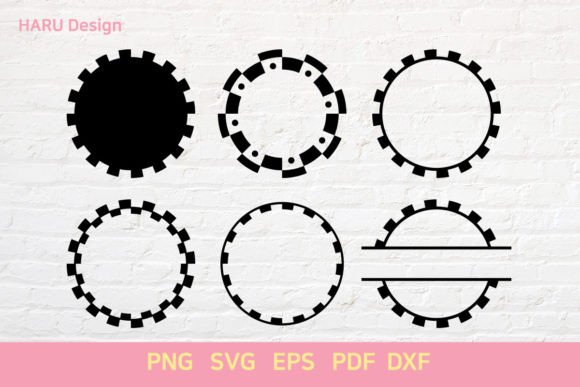
In the world of digital design, crafting projects for cutting machines like Cricut or Silhouette requires precision. One of the most versatile and enduring shapes in this ecosystem is the Circle Frame. Whether you are a seasoned crafter creating custom vinyl decals, a small business owner producing branded packaging, or a graphic designer preparing assets for print, understanding the nuances of these files is crucial. A circle frame isn't just a simple ring; it is a structural element that can define borders, create focal points, or serve as a container for text and images.
When sourcing or creating these assets, the file format is often the deciding factor in how successfully your project turns out. The standard artboard size for many crafting software applications is 12in×12in, providing a generous workspace for detailed designs. However, not all files are created equal. To get the best results, you need to know which formats—SVG, EPS, PNG, PDF, and DXF—are right for your specific workflow. This guide breaks down exactly what each format offers, why they matter, and how to integrate them into your creative process.
Understanding the Circle Frame Concept
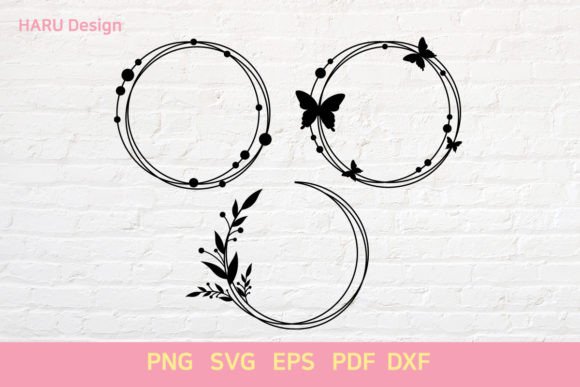
A circle frame is essentially an annulus—a region between two concentric circles. In digital design, this shape serves multiple purposes. It can act as a decorative border for invitations, a functional mask for photos, or a standalone logo element. The beauty of the circle frame lies in its symmetry and adaptability. Unlike complex illustrations that might overwhelm a design, a circle frame provides structure without dominating the visual hierarchy.
For crafters using electronic cutters, the "frame" aspect implies that the material inside the circle is cut away, leaving only the outer ring. This requires clean vector paths. If the lines are jagged or the resolution is too low, the cutter may struggle, resulting in misaligned cuts or wasted material. Therefore, choosing the correct file type is not just about aesthetics; it is about technical feasibility.
Why File Format Matters More Than You Think
Many beginners make the mistake of downloading any image labeled "circle frame" without checking the extension. While a PNG might look fine on a screen, it will fail completely when sent to a cutting machine. Conversely, sending a high-resolution raster image to a printer might result in pixelation if the scaling is incorrect. Understanding the distinction between vector and raster graphics is the first step toward professional-quality output.
- Vector Graphics: These use mathematical equations to define shapes. They can be scaled infinitely without losing quality. SVG, EPS, and DXF are vector formats.
- Raster Graphics: These are made of pixels. When enlarged, they become blurry or blocky. PNG is a raster format (though it supports transparency).
- Document Formats: PDFs can contain both vector and raster data, making them versatile but sometimes tricky to edit depending on how they were saved.
Deep Dive into Vector Formats: SVG, EPS, and DXF
For anyone using a Cricut Maker, Silhouette Cameo, or similar die-cutting machine, vector files are the gold standard. They allow for precise cutting because the software reads the path of the line rather than interpreting color or shading.
SVG: The Crafter’s Best Friend
Scalable Vector Graphics (SVG) is the most popular format for hobbyist and semi-professional crafters. Its primary advantage is compatibility with user-friendly software like Cricut Design Space and Silhouette Studio. An SVG file containing a circle frame on a 12in×12in artboard is typically ready to upload, resize, and cut immediately.
Another benefit of SVG is that it often contains grouped elements. This means you can separate the inner circle from the outer circle if your design calls for it. For example, you might want to cut the frame in one color and fill the center with a different material. SVG files preserve these layers, giving you flexibility during the design phase.
EPS: Bridging Professional Design and Cutting
Encapsulated PostScript (EPS) is a legacy format that remains widely supported by professional design software like Adobe Illustrator and CorelDRAW. If you are working with a graphic designer or importing assets into a larger branding project, EPS is often the preferred choice. It ensures that the circle frame retains its crisp edges regardless of the zoom level.
While some cutting machine software can import EPS files directly, others may require conversion. However, the reliability of EPS makes it an excellent backup format. It is particularly useful for large-format printing where the circle frame needs to be scaled up to billboard size without any loss of fidelity.
DXF: The Engineering Standard
Drawings Exchange Format (DXF) originated in the CAD (Computer-Aided Design) industry. It is highly structured and focuses purely on geometry. For users who prefer open-source software like Inkscape or those working with laser cutters and CNC routers, DXF is often the go-to format.
One distinct advantage of DXF is its universality. Almost every computer-aided manufacturing tool can read a DXF file. If you are collaborating with a manufacturer who uses industrial machinery, requesting a DXF version of your circle frame ensures there are no translation errors. It strips away unnecessary metadata, leaving only the essential lines needed for cutting.
Raster and Document Formats: PNG and PDF
While vectors dominate the cutting world, raster and document formats have their own critical roles, especially in digital marketing and traditional printing.
PNG: Transparency and Web Use
PNG (Portable Network Graphics) is a raster format that supports transparency. This is invaluable for web designers and social media managers. Imagine you want to overlay a circle frame onto a colorful background for an Instagram post. A PNG allows the background to show through the center of the frame, creating a layered effect that cannot be achieved with solid-color vectors.
However, remember the resolution constraint. For a 12in×12in project intended for print, a PNG must be generated at a high DPI (dots per inch), ideally 300 DPI or higher. If you download a web-sized PNG and try to print it large, it will appear pixelated. Always check the pixel dimensions before using a PNG for physical production.
PDF: The Versatile All-Rounder
Portable Document Format (PDF) is perhaps the most misunderstood format in this context. A PDF can be either a vector or a raster file, depending on how it was exported. Many professional designers export their work as PDFs for client review because they look consistent across all devices.
For cutting machines, modern software suites can often interpret vector data embedded within a PDF. This makes PDFs a convenient archival format. You can store your circle frame designs in PDF format to save space while retaining the ability to scale them later. Just ensure that the PDF is set to "print-ready" or "vector" mode, rather than flattening the image into a single bitmap layer.
Practical Considerations for Your Workflow
Choosing the right file involves more than just picking an extension. It requires thinking about the end goal. Are you making a single sticker for yourself, or are you ordering 500 branded coasters for a corporate event?
Artboard Size and Scaling
The mention of a 12in×12in artboard is significant. This is the standard virtual canvas for many crafting platforms. When you receive a file package that includes SVG, EPS, PNG, PDF, and DXF versions of a circle frame, ensure that the proportions match your needs. If you plan to scale the design beyond 12 inches, vector formats (SVG, EPS, DXF) will handle the enlargement seamlessly. Raster formats (PNG) will degrade.
Software Compatibility
Before purchasing or downloading assets, verify your software capabilities. Do you use Cricut Design Space? Stick to SVG. Do you use Adobe Illustrator? You can utilize EPS or PDF. Do you use Inkscape? DXF or SVG are your safest bets. Mismatching software and file types leads to frustration, such as receiving a file that looks perfect in one program but appears broken in another.
Quality Checks
Always inspect your files before committing to a cut or print. Zoom in on the circle frame. Are the corners smooth? Are there any stray anchor points? In vector files, stray points can cause the cutter to take inefficient paths, wasting time and blade life. Clean up your files in your chosen software before finalizing the project.
Maximizing the Potential of Your Circle Frame Assets
Once you have the right files, the possibilities expand. A circle frame can be combined with typography to create monograms. It can be used as a stencil for painting on walls or furniture. In digital design, it serves as a perfect container for profile pictures or product shots, ensuring a uniform look across a website.
By maintaining a library of high-quality circle frames in multiple formats, you future-proof your creative workflow. You never know when a project will shift from a digital invitation (requiring PNG/PDF) to a physical badge (requiring SVG/DXF). Having the source files readily available saves time and reduces stress.
Ultimately, the circle frame is a testament to the power of simplicity in design. It is a fundamental shape that, when executed with the right technical tools, becomes incredibly powerful. Whether you are cutting vinyl, designing a logo, or preparing a print layout, selecting the correct format—from SVG to DXF—is the key to unlocking its full potential. Take the time to understand these differences, and your projects will reflect a level of professionalism and precision that stands out.