Mastering the Paint Brush: A Complete Guide to Digital Art Assets
Creating high-quality digital art has never been more accessible, yet the gap between a simple sketch and a professional-grade design often lies in the tools and file formats you choose. At the heart of this creative process is the Paint Brush, a fundamental tool that bridges the gap between raw imagination and polished visual output. Whether you are a seasoned graphic designer looking for precision or a hobbyist eager to bring your ideas to life, understanding how to leverage brush assets effectively can transform your workflow.
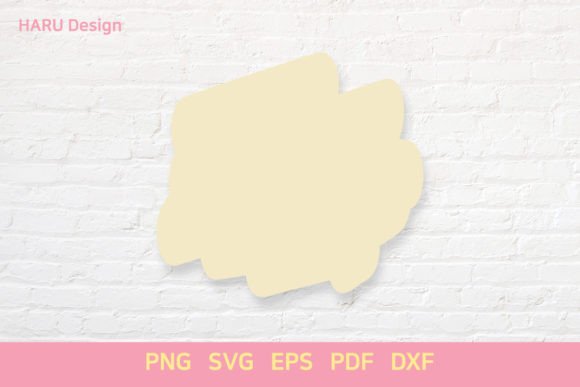
This guide explores the practical applications of paint brushes within a standard 12in×12in artboard environment. We will look at why having access to multiple file formats—specifically SVG, EPS, PNG, PDF, and DXF—is crucial for versatility, scalability, and commercial success. By the end of this article, you will understand how to integrate these assets into your projects, ensuring your work stands out in both personal and professional contexts.
Why File Format Diversity Matters in Digital Design
One of the most common mistakes beginners make is assuming that one file type fits all purposes. In reality, each format serves a distinct function, and mastering their differences is key to efficient design. When working with a Paint Brush asset, the choice of format dictates how you can edit, scale, and print your work.
- SVG (Scalable Vector Graphics): This is the gold standard for web-based designs and logos. Because SVGs are vector-based, they remain crisp at any size. If you create a brush stroke on a 12in×12in canvas and need to enlarge it to billboard size, an SVG ensures no pixelation occurs.
- EPS (Encapsulated PostScript): Often used in professional printing environments, EPS files offer robust compatibility with industry-standard software like Adobe Illustrator. They are ideal for complex illustrations that require precise color management and layer preservation.
- PNG (Portable Network Graphics): For quick previews, social media graphics, or designs requiring transparency, PNG is the go-to raster format. It preserves the exact visual appearance of your brush strokes, including shadows and gradients, making it perfect for immediate visual feedback.
- PDF (Portable Document Format): While primarily known for document sharing, PDFs can also store vector data. This makes them excellent for sending final proofs to clients or printers who may not have specialized design software installed.
- DXF (Drawing Exchange Format): This format is essential for those working with cutting machines like Cricut or Silhouette. If your goal is to turn a digital brush design into a physical craft project, the DXF file allows the machine to read the paths accurately for cutting vinyl, paper, or fabric.
The Power of the 12in×12in Standard
The specification of a 12in×12in artboard is not arbitrary; it is a widely recognized standard in the crafting and scrapbooking industries. This square dimension provides a balanced workspace that is large enough to accommodate detailed brushwork but small enough to fit easily onto standard cutting mats and printing sheets.
For entrepreneurs selling digital downloads or physical crafts, adhering to this size ensures compatibility with customer equipment. Imagine a user purchasing a set of floral brush designs. If the file is optimized for a 12in×12in canvas, they can seamlessly import it into their preferred software, whether they are designing a greeting card, a t-shirt, or a wall decal. This standardization reduces friction in the user experience, leading to higher satisfaction and fewer support requests.
Practical Applications Across Different Fields
The versatility of the Paint Brush extends far beyond traditional painting. Let’s explore how different professionals utilize these assets in real-world scenarios.
For Educators and Hobbyists
In educational settings, digital art tools introduce students to technology and creativity simultaneously. A teacher might use a simple brush set to help children create digital stories. The ease of dragging and dropping a pre-made brush stroke allows young learners to focus on composition and color theory rather than struggling with complex drawing techniques. Similarly, hobbyists can use these assets to personalize home decor, creating unique wall art that reflects their personal style without needing years of artistic training.
For Marketers and Bloggers
Content creators are constantly in search of visually engaging elements to break up text and capture attention. High-quality brush textures can add depth to blog headers, social media banners, and email newsletters. By using vector formats like SVG, marketers ensure that these images load quickly on websites while maintaining sharpness on high-resolution mobile screens. A well-placed brush accent can guide the reader’s eye to important calls-to-action, subtly influencing engagement metrics.
For Small Business Owners and Freelancers
If you run a small business selling custom merchandise, the ability to switch between formats is a competitive advantage. You might use the PNG version for quick mockups to show clients how a design looks on a product. Once the client approves, you switch to the EPS or AI format for high-resolution printing. Finally, if the product involves cut-out elements, the DXF file ensures the manufacturing process is flawless. This seamless transition saves time and reduces errors, allowing you to scale your operations efficiently.
Important Considerations Before You Start
While having access to a comprehensive library of brush assets is beneficial, there are several factors to consider before integrating them into your workflow.
Software Compatibility: Ensure that your design software supports the specific formats you intend to use. Most modern vector editors handle SVG and EPS well, but older versions of certain programs may struggle with complex layers. Always test your files in your primary software before committing to a large project.
Licensing and Usage Rights: Not all brush assets are created equal. Some are free for personal use only, while others allow commercial application. As a professional, it is crucial to respect intellectual property rights. Always review the license agreement associated with your brush pack. If you plan to sell products featuring these designs, verify that the license permits commercial redistribution or modification.
Resolution and Quality: Even with vector files, the initial quality of the brush stroke matters. Look for assets that have clean paths and logical node structures. Messy vectors can lead to slow rendering times and difficult editing processes. Taking the time to select high-quality assets upfront will save you hours of cleanup later.
Maximizing Your Creative Potential
The true value of a Paint Brush asset lies not just in its existence, but in how creatively you apply it. Don’t limit yourself to using brushes for simple decorations. Experiment with layering, blending modes, and color overlays to create entirely new effects. Combine a textured brush with geometric shapes for a modern look, or use organic brush strokes to soften rigid layouts.
Furthermore, think about the end-user. If you are creating templates for others, provide clear instructions on how to customize the brushes. Explain how to change colors, resize elements, and export files correctly. This added value builds trust and establishes you as an expert in your field.
In conclusion, mastering the interplay between the Paint Brush tool and diverse file formats empowers you to tackle a wide range of creative challenges. Whether you are designing for the web, preparing for print, or crafting physical goods, the combination of SVG, EPS, PNG, PDF, and DXF files offers unmatched flexibility. By keeping the 12in×12in standard in mind and adhering to best practices regarding licensing and quality, you can produce professional results that resonate with your audience. Start experimenting today, and discover how these versatile assets can elevate your creative projects to new heights.