30 Polaroid Frame Pack: Instant Retro Style
There is a specific kind of magic in the way we used to capture memories before smartphones took over our pockets. The anticipation of waiting for the film to develop, the tactile click of the shutter, and that iconic white border framing your subject—it created a sense of weight and importance around every single photo. Today, we can’t always go back in time to snap a real Polaroid, but we don’t need to. With the 30 Polaroid Frame Pack, you can instantly inject that nostalgic, analog charm into any digital image, regardless of where it came from.
This collection isn’t just about slapping a border on a picture; it’s about elevating your visual storytelling. Whether you are a seasoned graphic designer looking for quick assets or a small business owner trying to make your social media feed feel more personal, these frames offer a bridge between modern convenience and vintage aesthetics. Let’s explore what makes this pack so versatile and how you can put it to work right away.
What Exactly Is This Collection?
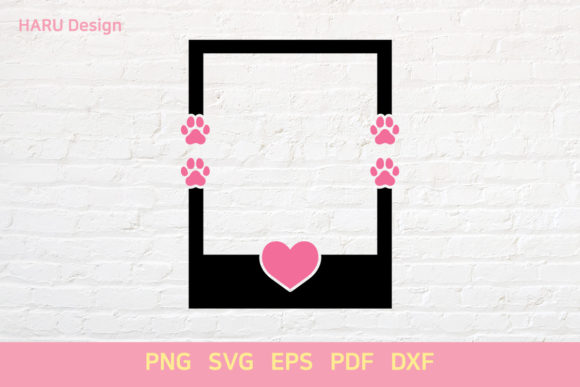
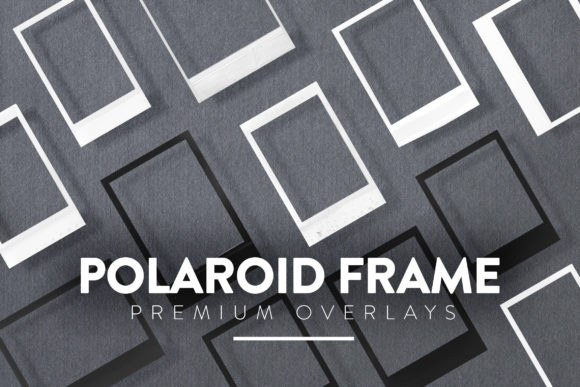
At its core, the 30 Polaroid Frame Pack is a curated set of thirty distinct overlay files designed to mimic the classic instant camera look. Each file is provided in PNG format, which is crucial for flexibility. Unlike JPEGs, PNGs support transparency, meaning each frame comes with a clear background. This allows you to layer them over any photograph, illustration, or video frame without worrying about ugly white boxes or mismatched edges.
The resolution is no joke here. Each frame is sized at up to 4000x3000 pixels. For those who aren't tech-savvy, this means the images are high-definition enough to look crisp even when printed large or viewed on high-resolution Retina displays. You won’t see pixelation or blurriness when you zoom in. It ensures that whether you are creating a thumbnail for YouTube or printing a poster for a local event, the quality remains professional and clean.
Why PNG Format Matters for Your Workflow
You might wonder why the file type is emphasized so much. The answer lies in usability. Because these overlays are in PNG format, they are compatible with virtually any graphic program that can read .PNG files. This includes industry standards like Adobe Photoshop and Photoshop Elements, but also extends to free or budget-friendly tools like GIMP, Canva, Affinity Photo, and even basic image editors on your phone or tablet.
This compatibility removes the barrier to entry. You don’t need to buy expensive software licenses just to use these frames. If you have ever edited a photo on a smartphone app, you likely already know how to add an "overlay" or "sticker." These frames function exactly like high-quality stickers that fit perfectly over your content. The transparency channel does all the heavy lifting, allowing the underlying image to show through while the white border and subtle shadows provide structure.
Who Needs This Pack and Why?
The beauty of the 30 Polaroid Frame Pack is that it serves a wide array of users, each with different goals. Here is how different people find value in this asset:
- Social Media Managers & Influencers: Consistency is key on platforms like Instagram and Pinterest. Using these frames creates a cohesive, branded look for your posts. A grid of photos with matching polaroid borders looks intentional and curated, helping your profile stand out in a crowded feed.
- Small Business Owners: If you sell handmade goods or offer services, product photography can sometimes feel sterile. Adding a polaroid frame softens the image, making it feel more approachable and human. It suggests authenticity, which is a powerful selling point for entrepreneurs.
- Blogger Content Creators: Blog headers and featured images benefit from visual breaks. Instead of using generic stock graphics, you can place your featured photo inside one of these frames to draw the reader’s eye directly to the content.
- Educators & Presenters: For teachers creating slide decks or training materials, these frames can be used to highlight case studies, student work, or historical photos. They add a touch of creativity that keeps audiences engaged without being distracting.
- Hobbyists & Scrapbookers: Even if you prefer digital scrapbooking, having these frames allows you to recreate the physical album experience on your computer. You can arrange multiple frames to tell a story, mimicking the layout of a physical memory book.
Practical Use Cases in Daily Projects
So, how do you actually use these? The applications are surprisingly broad. Let’s look at some realistic scenarios where this pack shines.
Imagine you are running a flash sale for your online store. You have a great photo of your product, but it blends in with competitors. By placing the product image inside a polaroid frame from this pack, adding a handwritten-style font for the price, and posting it to your story, you create a focal point that demands attention. The frame acts as a visual container, telling the viewer, "Look at this specific item."
Another common use is in wedding or event photography portfolios. Photographers often deliver final edits with custom branding. Using these frames allows them to quickly brand their images without spending hours designing a custom watermark for every shot. The 4000x3000 px resolution ensures that even if the client prints the photo, the frame remains sharp and legible.
For educators, consider a history lesson. You might have a black-and-white archival photo. Placing it in a slightly aged-looking polaroid frame (if the pack includes textured variations) can enhance the historical context, making the past feel tangible for students.
Important Considerations Before You Start
While the 30 Polaroid Frame Pack is a powerful tool, there are a few things to keep in mind to get the best results. First, think about color harmony. Polaroid frames are typically white or off-white. Ensure that the background of your design or the colors within your photo complement the frame. A dark, moody photo might need a darker frame variant, so check the variety included in your 30 files to ensure you pick the right tone.
Secondly, consider the composition of your original image. Since the frame adds a border, it effectively crops the edges of your photo. Make sure your subject is centered or positioned well enough that it doesn’t get cut off by the frame’s inner edge. Good framing starts with good source material.
Finally, respect copyright. While you have the license to use these frames for your designs, remember that the underlying photographs still belong to their respective owners. Use these frames to style your own photos or properly licensed stock images. Never claim the frames themselves as your original artistic creation, but rather as a tool you used to produce your work.
Getting Started Is Simple
Using these overlays requires minimal technical skill. In Photoshop, you simply drag the PNG file onto your open project. It will appear as a new layer. Place it above your photo layer, resize it if necessary, and you are done. In simpler apps, look for the "Overlay" or "Sticker" option, select the PNG file, and position it over your image. That’s it. No complex masking or blending modes required.
The 30 Polaroid Frame Pack saves you time and elevates your aesthetic simultaneously. In a world where digital content moves fast, having a library of ready-to-use, high-quality retro elements gives you the edge you need to create engaging, memorable visuals. Whether you are documenting life, selling products, or teaching a class, these frames help you say, "This moment matters," in the most stylish way possible.