Abstract Graphics Set: 41 Unique Vector Elements for Creative Design
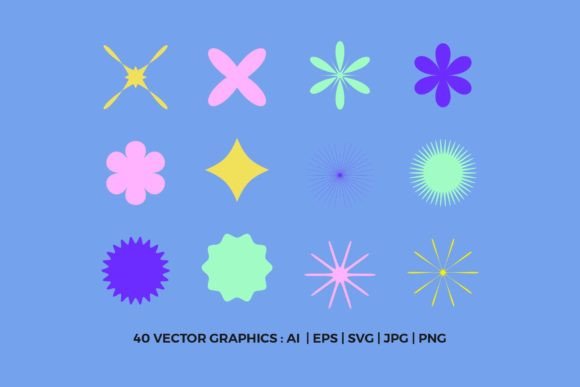
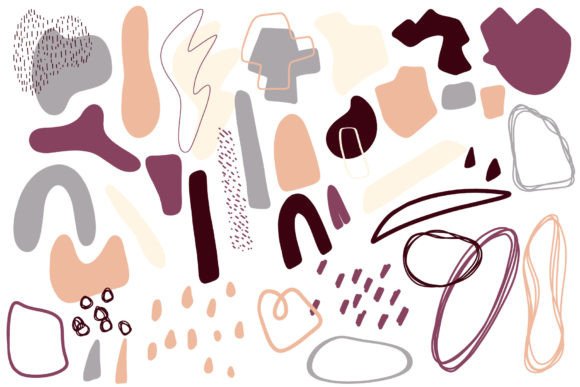
If you're a designer, marketer, or content creator looking to elevate your visual projects without the hassle of starting from scratch, the Abstract Graphics Set is an excellent resource. This set includes 41 hand-drawn vector graphic elements that offer both flexibility and artistic flair. Whether you're working on branding materials, digital presentations, educational resources, or personal creative ventures, this collection can streamline your workflow while enhancing the aesthetic appeal of your designs.
What Is the Abstract Graphics Set?
The Abstract Graphics Set is a curated bundle of 41 individual graphic elements crafted in vector format. Each element is designed with a unique abstract style, making it ideal for modern, minimalist, or artistic projects. The graphics are hand-drawn, giving them a distinct character that’s often difficult to achieve with standard software-generated visuals. The set is delivered as one zip file containing both AI and EPS10 formats—two of the most widely used and editable vector file types in the design industry.
Why Choose Abstract Graphics?
Abstract graphics provide a powerful way to convey emotion, concept, or brand identity without relying on literal representations. They’re especially useful when you want to communicate ideas that are complex or intangible. These visuals can serve as background accents, icons, dividers, or focal points in your design. Their versatility makes them suitable for everything from website headers to social media posts, marketing brochures, and even academic infographics.
Key Features and Benefits
One of the standout qualities of the Abstract Graphics Set is its ease of customization. Since all files are vector-based, you can scale them to any size without losing quality. Whether you need a tiny icon for a mobile app or a large banner for a print poster, these graphics adapt seamlessly. Additionally, each element is placed on a separate layer, which allows for fine-tuning individual components. You can easily change line colors, adjust shapes, or combine elements to create something truly unique.
- High-resolution output: All graphics are created at 300 dpi, ensuring crisp and clear results for both digital and print use.
- Layered files: With each graphic on its own layer, editing becomes intuitive and precise.
- Multiple file formats: The inclusion of AI (Adobe Illustrator) and EPS10 (Encapsulated PostScript) ensures compatibility across various design platforms and tools.
- Time-saving: Skip the process of designing from scratch and focus on bringing your vision to life faster.
Real-World Applications
Let’s explore how professionals and creatives can put the Abstract Graphics Set to work in different environments:
1. Branding and Marketing
Marketers and business owners often need eye-catching visuals to support campaigns, product launches, or promotional content. These abstract graphics can be used to create custom illustrations for websites, email newsletters, and social media banners. For example, a wellness brand might blend several elements to form a calming visual motif that aligns with their brand identity.
2. Digital Content Creation
Bloggers and publishers frequently enhance articles and guides with relevant imagery. The Abstract Graphics Set offers a non-literal yet expressive approach to illustrating concepts like innovation, creativity, growth, and connection. Use them as separators between sections or as decorative elements that subtly reinforce the theme of your content.
3. Educational Materials
Educators and e-learning developers can leverage these graphics to make slideshows, course outlines, and study guides more engaging. An abstract shape representing “inspiration” could be paired with text about motivation techniques, helping students visualize the learning experience.
4. Freelance and Hobbyist Projects
Freelancers and hobbyists who enjoy experimenting with design have a valuable tool here. The set supports a wide range of creative expressions—from logo backgrounds to greeting cards and packaging mockups. Its hand-drawn feel adds warmth and personality to otherwise technical or minimalistic layouts.
5. Presentations and Reports
Business reports and client presentations benefit greatly from clean, professional visuals. These graphics can break up dense text, add visual interest, and help explain abstract ideas. Imagine using an abstract pattern to highlight key performance indicators or a flowchart-like graphic to represent strategic planning stages.
Design Efficiency and Customization
Designers know how important efficiency is when managing multiple projects. The Abstract Graphics Set helps reduce time spent on illustration by offering ready-to-use elements. Instead of drawing each component manually, you can import the AI or EPS10 files into your preferred design software and start customizing immediately.
Changing colors is straightforward thanks to vector layers. If your brand uses specific color palettes, you can apply those hues to the lines and fills of the graphics with just a few clicks. This level of control means you can maintain consistency across all your design assets without compromising creativity.
Practical Considerations When Using the Set
While the Abstract Graphics Set is incredibly versatile, there are a few practical considerations to keep in mind when selecting and implementing these elements:
- Understand your design needs: Before diving in, consider the purpose of your project. Are you aiming for a bold statement or subtle enhancement? Choose graphics that align with your message and audience.
- Check file compatibility: Make sure you have the right software to open AI and EPS10 files. Adobe Illustrator is ideal, but many other programs support EPS10 for basic editing.
- Maintain balance: Avoid overloading your design with too many abstract elements. Use them strategically to complement your layout rather than distract from it.
- Experiment with combinations: Don’t limit yourself to single graphics. Try layering or blending elements to craft custom visuals that reflect your unique style.
- Optimize for platform use: When exporting, ensure the resolution and format match the intended platform—whether it's web, print, or mobile. Vector formats are great for scalability, but you may need raster versions for certain applications.
Enhancing User Experience and Engagement
In today’s visually driven world, user engagement often hinges on aesthetics. The Abstract Graphics Set can play a role in improving user experience (UX) by adding visual interest and guiding the viewer’s attention. For instance, placing an abstract graphic at the top of a landing page can create a sense of movement or energy, encouraging users to scroll further.
Moreover, these graphics can be used in UI (user interface) design to soften rigid layouts. A developer designing a dashboard might incorporate abstract shapes to make data visualization more appealing and less overwhelming. This subtle touch can significantly impact how users perceive and interact with the content.
Who Can Benefit Most?
Almost anyone involved in visual communication can find value in the Abstract Graphics Set. Here are some specific roles and scenarios where they shine:
- Graphic designers: Use them as base templates or background textures for posters, flyers, and ads.
- Web developers: Add depth and style to website sections such as hero banners, feature highlights, or footer designs.
- Marketing teams: Incorporate them into campaign collaterals to stand out from competitors’ generic stock images.
- Content creators: Enhance blog posts, YouTube thumbnails, or Instagram stories with personalized abstract visuals.
- Teachers and trainers: Use them in slide decks to make lessons more interactive and visually stimulating.
Getting Started with Your Abstract Graphics
To begin using the Abstract Graphics Set, simply download the zip file and extract the AI and EPS10 documents. Open them in your design software, select the elements you want to use, and adjust colors, sizes, and positions as needed. Because each element is isolated on its own layer, you can edit or remove parts without affecting the rest of the design.
If you're new to vector editing, take some time to explore the features of your software. Many tools offer tutorials on how to manipulate vector paths, gradients, and strokes effectively. Once you're comfortable, the possibilities for integrating these graphics into your projects become nearly endless.
Final Thoughts on Flexibility and Creativity
The Abstract Graphics Set is more than just a collection of images—it's a toolkit for creative expression. Whether you're designing for a global audience or crafting something personal, these elements empower you to produce polished, professional-looking content quickly and efficiently. Their hand-drawn origin adds a human touch, making them feel more authentic and original compared to mass-produced clip art.
By thoughtfully incorporating these graphics into your workflow, you not only save time but also inject a level of sophistication into your visuals. As with any design asset, the key is to use them intentionally and in harmony with your overall project goals. So, go ahead—download the Abstract Graphics Set, experiment with the elements, and let your creativity take flight.