Watercolor Brush Strokes ClipArt Bundle
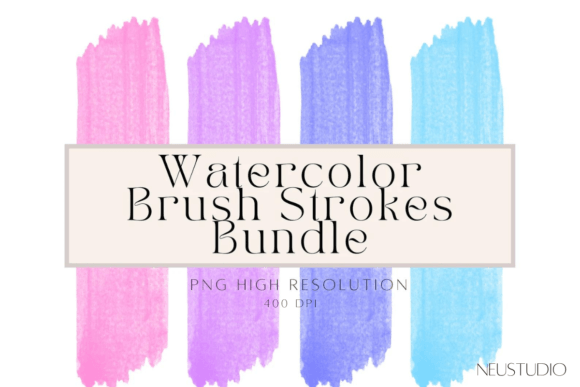
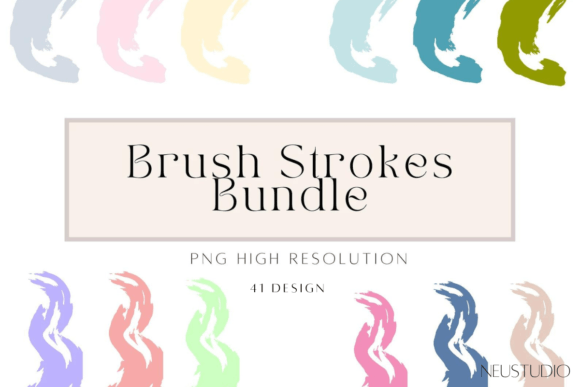
In the landscape of digital design, the transition from concept to final output often hinges on the subtle details that elevate a project from functional to professional. For creators, entrepreneurs, and marketers, finding assets that add texture and organic warmth without compromising technical precision is a constant challenge. The Watercolor Brush Strokes ClipArt Bundle addresses this specific need by providing high-resolution, transparent PNG files that integrate seamlessly into diverse creative workflows. This collection of 41 pastel watercolor brush stroke clipart elements offers more than just decorative flair; it provides a versatile toolkit for enhancing visual communication across branding, print, and digital media.
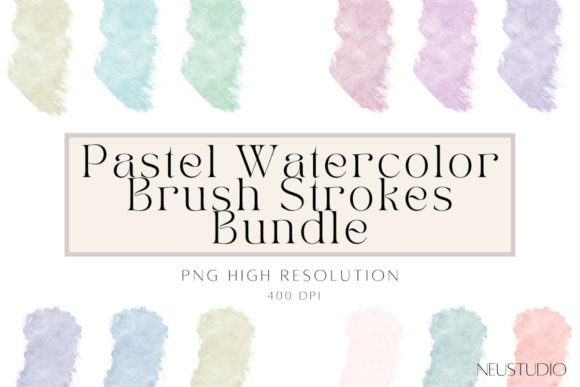
The core value of this bundle lies in its technical specifications combined with aesthetic flexibility. Each file is rendered at 3000 pixels with a resolution of 400 DPI, ensuring that whether you are designing a small mobile sticker or a large-format wedding flyer, the edges remain crisp and the colors retain their delicate pastel gradients. The transparent background feature is particularly critical for workflow efficiency, as it eliminates the tedious process of manual masking or background removal, allowing designers to layer these strokes over text, images, or solid colors with immediate visual impact.
Strategic Integration in Design Workflows
Understanding where these assets fit within a broader production process is key to maximizing their utility. Unlike static templates, brush strokes are modular components that interact dynamically with other design elements. They can be deployed at various stages of a project lifecycle, from initial mood boarding to final quality control.
Pre-Production and Mood Boarding
During the planning phase, establishing a visual tone is essential. Pastel watercolor strokes serve as excellent texture references for mood boards. By dragging these PNGs into presentation software like Canva, PowerPoint, or Adobe InDesign, designers can quickly demonstrate how organic textures might soften rigid corporate layouts or add elegance to event invitations. This helps stakeholders visualize the end result before significant time is invested in production.
During Production: Layering and Composition
In the active design phase, these brush strokes function as accent layers. Because they have transparent backgrounds, they can be placed directly over typography without obscuring readability. This is particularly effective for quote graphics, social media headers, and blog post dividers. The 400 DPI resolution ensures that when you scale these up or down, the anti-aliasing remains smooth, preventing the jagged edges that often plague lower-quality clip art. Designers can experiment with blending modes—such as Multiply, Overlay, or Soft Light—to integrate the strokes naturally into existing color palettes, creating a cohesive look that feels hand-crafted rather than digitally stamped.
Post-Production and Asset Management
Efficiency extends beyond the canvas. Proper organization of these assets ensures long-term usability. Since the bundle contains 41 distinct files, categorizing them by color family (e.g., pinks, blues, yellows) or stroke direction (horizontal, vertical, diagonal) can significantly reduce search time during busy project rushes. Saving these files in a dedicated cloud folder labeled "Watercolor Assets" allows teams to access them across multiple devices and software platforms, maintaining consistency across brand guidelines.
Practical Applications Across Industries
The versatility of the Watercolor Brush Strokes ClipArt Bundle makes it suitable for a wide array of professional and personal projects. Below are specific use cases where these assets solve common design problems.
Branding and Identity Design
For small business owners and freelancers, establishing a unique brand identity is crucial. Watercolor textures convey approachability, creativity, and artisanal quality. These brush strokes can be used to create custom logo accents, pattern fills for packaging, or subtle textures behind brand names. When combined with clean sans-serif fonts, the contrast between modern typography and organic paint strokes creates a balanced, contemporary aesthetic that appeals to a broad audience.
Wedding and Event Invitations
The wedding industry relies heavily on emotional resonance and elegance. Pastel watercolors are a staple in this sector because they evoke softness and romance. Designers can use these transparent PNGs to frame invitation text, create decorative borders, or add a finishing touch to digital save-the-date cards. The high resolution ensures that when these designs are sent to professional printers, the ink lays down smoothly, capturing the subtle variations in the watercolor pigment that define the style.
Social Media and Digital Marketing
In the fast-paced environment of social media, content must grab attention instantly. Static images often get lost in feeds, but those with textured overlays stand out. These brush strokes can be used to highlight quotes, separate sections of an infographic, or add depth to product photography. For example, placing a soft blue stroke behind a testimonial quote can draw the eye and emphasize the message without distracting from the text itself. The transparency allows for easy A/B testing of different background colors to see which performs best with your audience.
Print Materials and Stationery
Business cards, letterheads, and greeting cards benefit greatly from the tactile feel implied by watercolor art. Even though the medium is digital, the visual cue of wet-on-wet paint suggests a human touch. Using these clips in programs like Adobe Illustrator or Affinity Publisher allows for precise vector-like manipulation of raster images. You can resize them to fit specific margins, rotate them for dynamic angles, and duplicate them to create repeating patterns for envelope liners or wrapping paper.
Technical Considerations for Implementation
To fully leverage the capabilities of the Watercolor Brush Strokes ClipArt Bundle, users should adhere to certain technical best practices. This ensures compatibility and maintains the integrity of the artwork.
- Resolution and Scaling: While the files are 3000px at 400 DPI, it is important to remember that scaling up beyond the original dimensions will result in pixelation. Always start with the largest version available. If you need a larger asset, consider using vector tracing software to convert the raster image into a scalable vector graphic (SVG), although this requires additional post-processing skills.
- Color Mode Compatibility: Most digital design tools operate in RGB mode, while professional printing uses CMYK. Before exporting final files for print, ensure that your design software converts the color profiles correctly. The pastel tones in these brushes may shift slightly when converted to CMYK, so always request a physical proof if accuracy is critical.
- Layer Blending Techniques: To achieve the most realistic results, avoid placing strokes directly on top of white backgrounds with no opacity adjustment. Instead, use low-opacity settings (between 60% and 80%) or blend modes to allow the underlying texture to show through. This mimics the translucent nature of actual watercolor paint.
- File Organization: With 41 individual PNG files, keeping track of assets can become cumbersome. Create subfolders within your project directory named "Textures," "Overlays," or "Accents." Naming conventions such as "Stroke_Pink_Horizontal_01.png" can aid in quick identification during the editing process.
Combining Assets for Unique Artwork
One of the most powerful aspects of this bundle is the ability to combine these brush strokes with other clip arts and design elements. The transparent background facilitates this layering process, allowing for complex compositions. For instance, you might place a watercolor stroke behind a floral illustration to create a unified background, or overlap multiple strokes of different colors to generate a new, custom texture. This combinatorial approach encourages creativity and reduces reliance on pre-made templates.
By integrating the Watercolor Brush Strokes ClipArt Bundle into your design routine, you gain a reliable resource for adding polish and personality to your work. Whether you are crafting a wedding invitation, designing a brand logo, or creating engaging social media content, these high-resolution, pastel-toned assets provide the perfect balance of artistic charm and technical precision. Their ease of use and adaptability make them an indispensable tool for any creator looking to enhance their visual output efficiently and effectively.