Watercolor Brush Stroke PNG Bundle: A Versatile Resource for Creative Projects
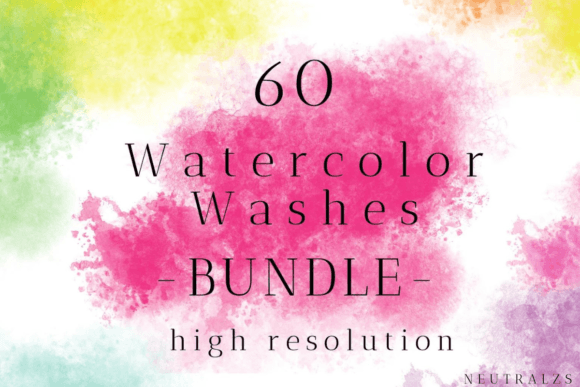
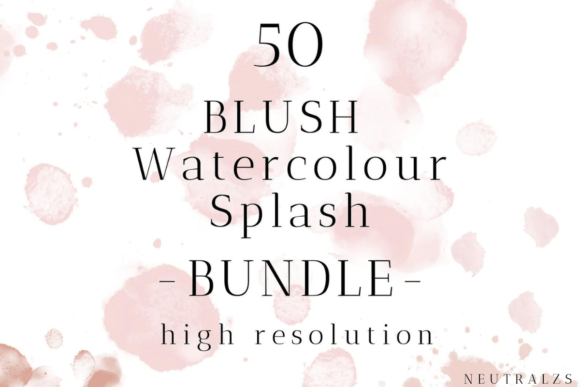
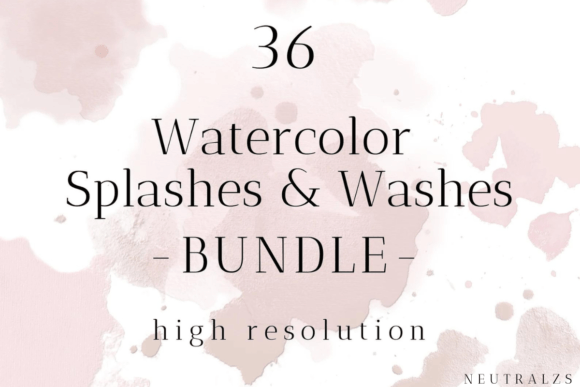
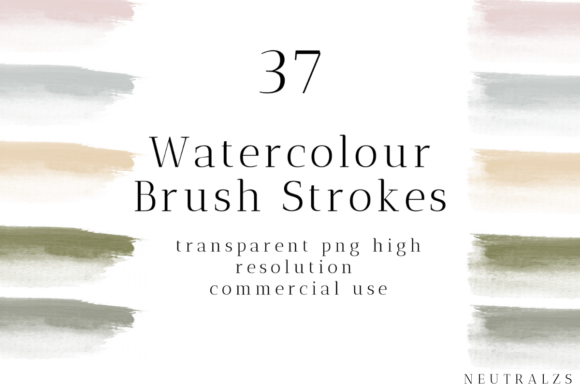
The Watercolor Brush Stroke PNG Bundle is a collection of high-resolution, transparent PNG images that replicate the look of real watercolor brush strokes. Designed for both digital and physical creative applications, this bundle includes a set of 37 pastel watercolor brushes in individual files, each optimized for clarity and usability. With a resolution of 1200 DPI and dimensions up to 4000px, these PNGs are ideal for designers, artists, and crafters looking to incorporate realistic brush stroke effects into their work.
Why You Might Be Interested in This Bundle
Creative professionals often seek tools that bridge the gap between traditional and digital media. The Watercolor Brush Stroke PNG Bundle offers an accessible way to add organic, hand-painted textures to otherwise flat or rigid digital designs. Whether you're working on illustrations, website graphics, print materials, or handmade crafts, these PNGs can enhance visual appeal without requiring advanced artistic skills.
Key Benefits of Using Watercolor Brush Stroke PNGs
- High Resolution: At 1200 DPI and up to 4000px wide, these PNGs maintain sharpness and detail when scaled for various uses.
- Transparency: The transparent background allows for seamless integration into any design project, whether layered over text, photos, or other artwork.
- Time Efficiency: Instead of manually painting every stroke, users can quickly apply and adjust these pre-made elements to save time while maintaining a natural aesthetic.
- Versatility: These brushes can be used across multiple platforms and software, including Adobe Photoshop, Illustrator, Canva, Procreate, and more.
- Consistency: Having a set of 37 different brushes ensures variety and consistency in your projects, especially when working on large-scale or repetitive tasks.
Possible Tradeoffs and Considerations
While the Watercolor Brush Stroke PNG Bundle is a valuable resource, it's important to consider its limitations and how it fits within your specific workflow. For instance:
- Customization Limits: Although these PNGs offer a range of styles, they may not perfectly match every project’s unique needs. Custom brush creation might still be necessary for highly specialized effects.
- Learning Curve: Beginners may need some time to learn how best to layer and manipulate the PNGs for optimal results, especially if using them in complex compositions.
- Storage and Organization: With 37 individual files, managing the collection efficiently is essential, particularly for those with limited digital storage or disorganized asset libraries.
When This Bundle Is a Strong Fit
This bundle is well-suited for several types of projects and users, including:
- Digital Artists: Those who want to blend digital tools with the soft, fluid appearance of watercolor but lack the time or skill to paint each element by hand.
- Graphic Designers: Individuals creating marketing materials, social media posts, or editorial content where subtle texture and depth are desired.
- Scrapbookers and Crafters: People interested in adding a painterly touch to paper-based projects, such as scrapbooking, card making, or mixed-media art.
- Print Designers: Professionals working on posters, invitations, or packaging that require a soft, elegant finish.
- Content Creators: Bloggers, YouTubers, or Instagrammers who use visuals to enhance storytelling or brand aesthetics.
Alternatives Worth Considering
Depending on your goals and resources, there may be alternative approaches to achieving similar results:
- Brush Sets for Digital Tools: Software like Adobe Photoshop and Procreate support custom brush sets. If you're already invested in a digital art platform, downloading compatible brush packs might integrate better into your existing workflow.
- Vector-Based Strokes: For scalable and editable artwork, vector-based brush strokes could be a better choice, especially if you plan to modify the shapes frequently.
- Hand-Painted Elements: Some artists prefer the authenticity of hand-drawn or painted textures. In such cases, investing in traditional supplies or scanning original work may be more appropriate.
- AI-Generated Art: For those seeking speed and automation, AI tools can generate watercolor-like effects, though they may lack the organic feel of actual brush strokes.
Practical Tips for Decision-Making
Before purchasing or using the Watercolor Brush Stroke PNG Bundle, ask yourself the following questions to determine its fit for your needs:
- Do I primarily work in digital environments, or do I also create physical crafts?
- Am I looking to enhance my designs with texture and depth without extensive manual effort?
- Do I need a consistent set of brush strokes across multiple projects or files?
- Is transparency and high resolution important for my intended use case?
- Can I manage and organize additional graphic assets effectively in my current workflow?
Consider testing the bundle in a small project first to assess how well it integrates with your tools and style. Many creators find that combining these PNGs with other digital assets or even custom illustrations yields the most satisfying results.
Expectations and Realistic Outcomes
Using the Watercolor Brush Stroke PNG Bundle will not instantly transform your work into professional-grade art, but it can significantly elevate your visual output when applied thoughtfully. Expect to spend some time experimenting with layering, blending modes, and positioning to achieve the desired effect. The quality of the final result will depend largely on how creatively you utilize these resources rather than just placing them directly onto a canvas.
How to Use the Bundle Effectively
To get the most out of the Watercolor Brush Stroke PNG Bundle, consider the following strategies:
- Layering: Apply the PNGs as overlays to give depth to simple designs. Adjust opacity and blending modes (such as Multiply or Overlay) to create more natural-looking effects.
- Combining with Other Assets: Mix the brush strokes with handwritten fonts, floral patterns, or abstract shapes to build cohesive, visually rich compositions.
- Printing and Crafting: Print the PNGs at full size to use as stencils or cut them out to glue onto surfaces for tactile, handcrafted pieces.
- Stamp Creation: Use the PNGs as templates to make custom stamps for scrapbooking or greeting cards, either digitally or physically.
Final Thoughts
The Watercolor Brush Stroke PNG Bundle is a practical solution for those seeking to add a soft, artistic touch to their work. Its high-quality format and transparent background make it adaptable to a wide range of creative scenarios, from digital illustrations to printed crafts. However, its effectiveness depends on your personal workflow, design goals, and willingness to experiment with new tools. If you value efficiency and realism in your creative process, this bundle is likely to meet your expectations. On the other hand, if you require fully customizable brushes or prefer vector-based solutions, exploring alternatives may be more beneficial.
Ultimately, the decision should align with your artistic vision and technical preferences. By weighing the benefits against potential tradeoffs and considering your long-term needs, you can determine whether the Watercolor Brush Stroke PNG Bundle is the right choice for your next project.