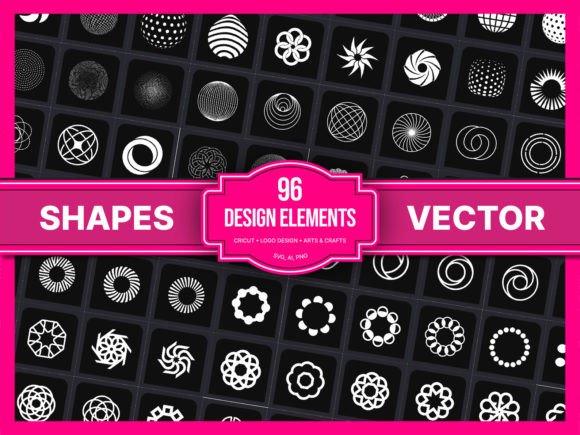
96 SVG, Vector Shapes: A Practical Guide to Streamlining Creative Workflows
In the landscape of digital design and physical production, consistency is often the hardest metric to maintain. Whether you are a freelance graphic designer building brand identities, a small business owner creating packaging for a new product line, or a hobbyist using a cutting machine like Cricut or Silhouette, the quality of your foundational elements dictates the final output. This is where 96 SVG, Vector Shapes enters the workflow not merely as a collection of assets, but as a strategic tool for efficiency and precision.
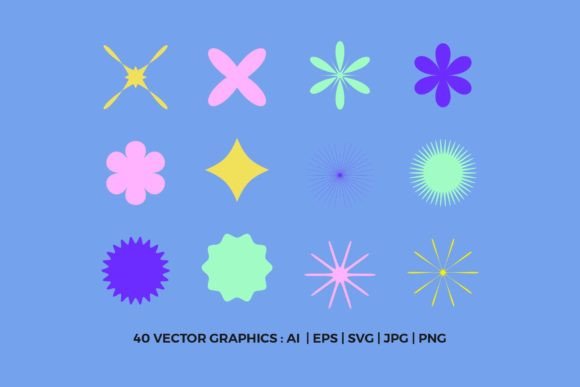
This resource pack is designed to solve a specific friction point in the creative process: the time spent recreating basic geometric forms that should be standardized. By providing 96 carefully constructed vector shapes, this asset library allows creators to bypass the tedious setup phase and move directly into composition and refinement. For professionals, this means reduced turnaround times; for educators and students, it means clearer visual communication; and for entrepreneurs, it ensures a polished, professional aesthetic without requiring advanced illustration skills.
Understanding the Asset Within the Workflow
To understand how 96 SVG, Vector Shapes fits into your broader operations, it is helpful to view it as part of the "pre-production" or "asset management" stage of any creative project. In traditional workflows, designers often spend hours drawing circles, squares, triangles, polygons, and complex geometric intersections from scratch. While this offers total control, it introduces variability. One circle drawn today might have slightly different bezier curve handles than one drawn tomorrow, leading to subtle inconsistencies across a design system.
The primary value proposition of this pack lies in its uniformity. Because these shapes are vector-based (SVG), they are resolution-independent. This means you can scale a shape up for a billboard poster or down for a social media icon without losing edge quality. The "carefully constructed" aspect mentioned in the product description refers to clean node structures and optimized paths. In practical terms, this results in smaller file sizes and faster rendering speeds in software like Adobe Illustrator, Affinity Designer, or even web browsers. When you integrate these shapes into your workflow, you are essentially outsourcing the geometry to a reliable source, freeing your cognitive load for higher-level decisions about color, typography, and layout.
Integration Across Different Platforms and Tools
The versatility of SVG files makes them compatible with almost every major design and production environment. However, understanding how 96 SVG, Vector Shapes interacts with specific tools can maximize their utility.
For Digital Designers and Marketers
If you work in UI/UX design or digital marketing, these shapes serve as excellent building blocks for modern, minimalist aesthetics. You can use them to create abstract backgrounds, data visualization charts, or decorative accents for landing pages. Because they are vectors, they can be easily manipulated within CSS or imported directly into Figma and Sketch. The ability to drag and drop these elements allows for rapid prototyping. Instead of spending time constructing a complex geometric pattern from scratch, you can assemble pre-made components, test variations quickly, and iterate based on user feedback.
For Print and Packaging Professionals
Consistency is critical in print production. When designing packaging, labels, or promotional materials, maintaining exact dimensions is non-negotiable. Using standard vector shapes ensures that your die-lines and cut marks align perfectly. 96 SVG, Vector Shapes provides the foundational geometry needed to create precise layouts for posters, brochures, and business cards. Furthermore, because SVGs can be converted to PDF or EPS formats with minimal data loss, they integrate smoothly into the pre-press workflow, reducing the risk of errors during the printing process.
For Cricut and Silhouette Users
For the crafting community, this asset pack is particularly transformative. Cutting machines rely entirely on clean vector paths to function correctly. If a path is messy or contains unnecessary nodes, the blade may skip or cut inefficiently. The "cleanly constructed" nature of these shapes ensures smooth cuts and accurate replication. Whether you are making vinyl decals, t-shirt transfers, or paper crafts, having access to 96 reliable shapes eliminates the frustration of troubleshooting cut errors caused by poor file structure. It allows users to focus on the artistic arrangement of the shapes rather than the technical repair of the files.
Streamlining the Creative Process
One of the most significant benefits of incorporating 96 SVG, Vector Shapes into your routine is the reduction of repetitive tasks. In many creative fields, "re-inventing the wheel" is a common pitfall. Designers often feel pressured to create something entirely unique from zero, even when a simple geometric form would suffice. This pack encourages a modular approach to design.
Consider a scenario where you are designing a logo for a client who wants a tech-forward, geometric brand identity. Instead of sketching dozens of variations, you can import the relevant shapes from the pack, duplicate them, rotate them, and apply gradients. This method, known as compositional assembly, is significantly faster than freehand drawing. It also promotes consistency. If you need to create a matching set of icons or a series of blog graphics, using the same base shapes ensures that the visual language remains cohesive across all deliverables.
Moreover, this approach supports scalability. As your business or portfolio grows, having a library of standardized assets means you don't have to start each new project from a blank canvas. You can build templates based on these shapes, allowing you to produce high-quality work in a fraction of the time. For freelancers managing multiple clients, this efficiency translates directly into profitability. You can take on more projects without sacrificing quality, provided you have the right tools to support your workflow.
Organization and Long-Term Utility
While the shapes themselves are valuable, how you organize them determines their long-term usefulness. The pack comes in folders full of SVG elements, which suggests a level of categorization already built in. To get the most out of this resource, it is advisable to audit the folder structure upon download. Group shapes by type (e.g., circles, polygons, organic curves) or by complexity. This organizational step pays dividends later when you are under deadline pressure and need to find a specific element quickly.
Additionally, consider integrating these shapes into your personal asset management system. If you use design software that supports libraries or component systems (like Adobe CC Libraries or Figma Components), you can upload these shapes once and access them across all your future projects. This creates a self-reinforcing cycle of efficiency. Over time, as you modify and customize these base shapes, you build a proprietary library that is tailored specifically to your style and needs, all starting from the solid foundation provided by 96 SVG, Vector Shapes.
Quality Control and Best Practices
Even with high-quality assets, best practices must be followed to ensure optimal results. Always check the layer structure of the SVG files after importing them into your design software. While the paths are clean, sometimes grouping layers can become flattened or unexpected transforms may occur depending on the source application. Taking a moment to verify the integrity of the vectors before committing to a large-scale print run or final export is a crucial quality control step.
Furthermore, remember that vectors are editable. Do not treat these shapes as static images. Experiment with stroke weights, fills, opacities, and blending modes. The true power of this pack is unlocked when you deconstruct the shapes and recombine them in novel ways. Use them as masks, clip art, or structural guides for typography. By treating these 96 shapes as flexible components rather than finished products, you expand their potential applications infinitely.
Conclusion
In an era where speed and consistency are paramount, relying on ad-hoc methods for basic design elements is no longer sustainable. 96 SVG, Vector Shapes offers a pragmatic solution to a common bottleneck in the creative process. By providing carefully constructed, versatile, and universally compatible assets, it empowers designers, businesses, and hobbyists to streamline their workflows and focus on what truly matters: the message and the vision. Whether you are producing content for the web, preparing files for print, or crafting physical goods, integrating these shapes into your toolkit is a practical investment in your productivity and professional growth.